Before you go
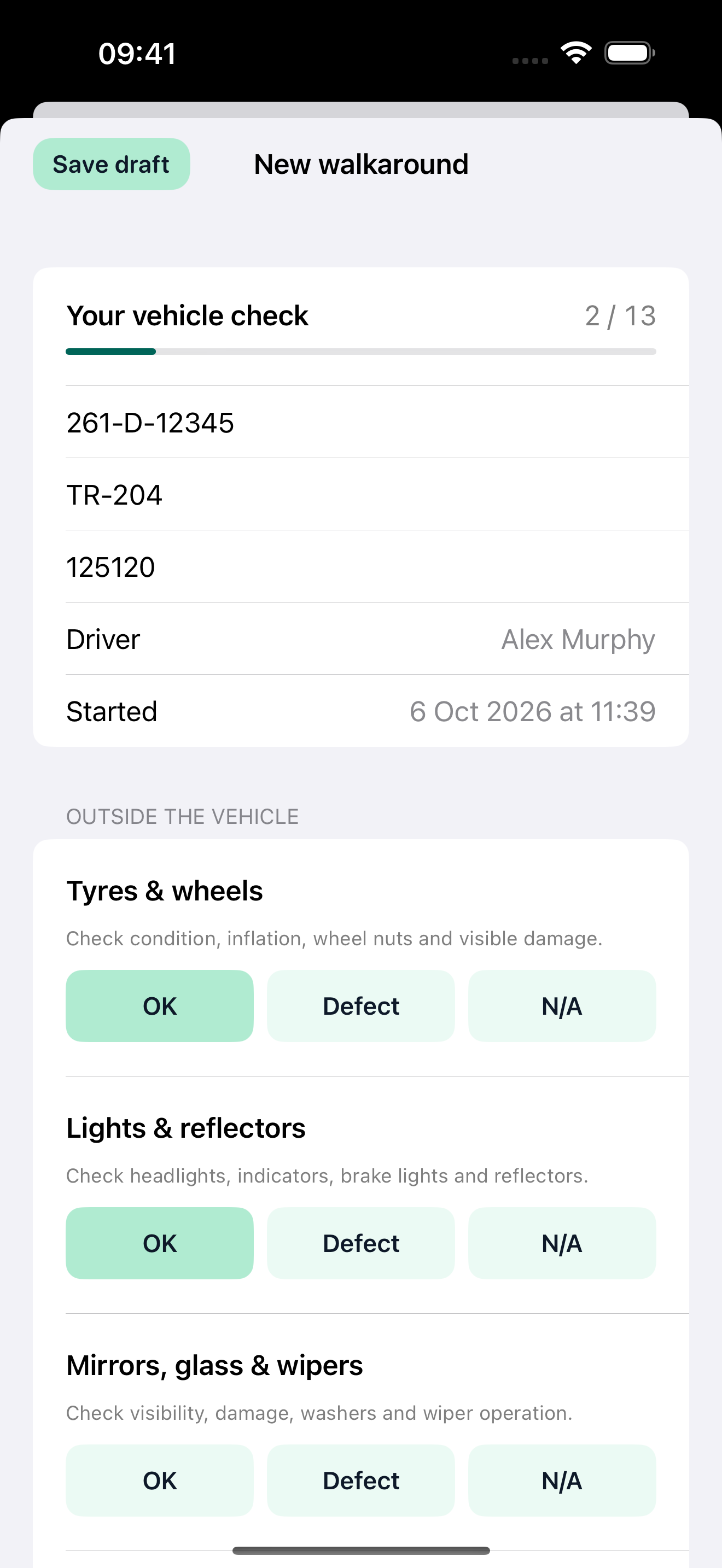
Work through your vehicle and trailer checks, record registrations and odometer readings, and save unfinished checks as drafts.
TRUCKERS / YOUR DAY. IN ONE PLACE.
Built by a trucker. Made for truckers.
Record driver timesheets, loads, hours and estimated earnings in Truckers. Keep daily vehicle checks, truck maintenance and annual leave together, with records on your device and PDF reports for the office.
iPhone & iPad · Android in testing
No account required · Records available offline
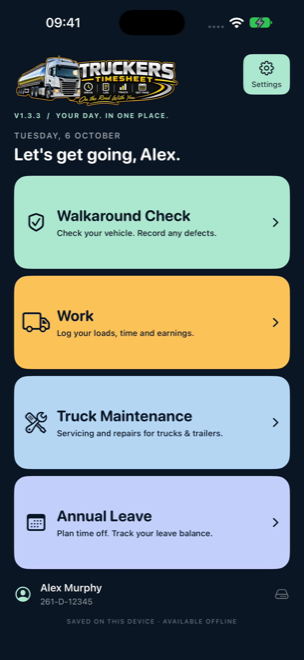 THE ORIGINAL MENU. YOUR DAY IN ORDER.
THE COMPLETE WORKING DAY
Watch the App Store previews, then explore each main-menu section below.
EXPLORE ALL FOUR SECTIONS
The latest Apple screenshots and section previews, using fictional demonstration records. Choose iPhone or iPad below each section. Select a screenshot to see it full size.
01 / WALKAROUND CHECKS
Guided inspections and the details of recorded defects.
Work through your vehicle and trailer checks, record registrations and odometer readings, and save unfinished checks as drafts.
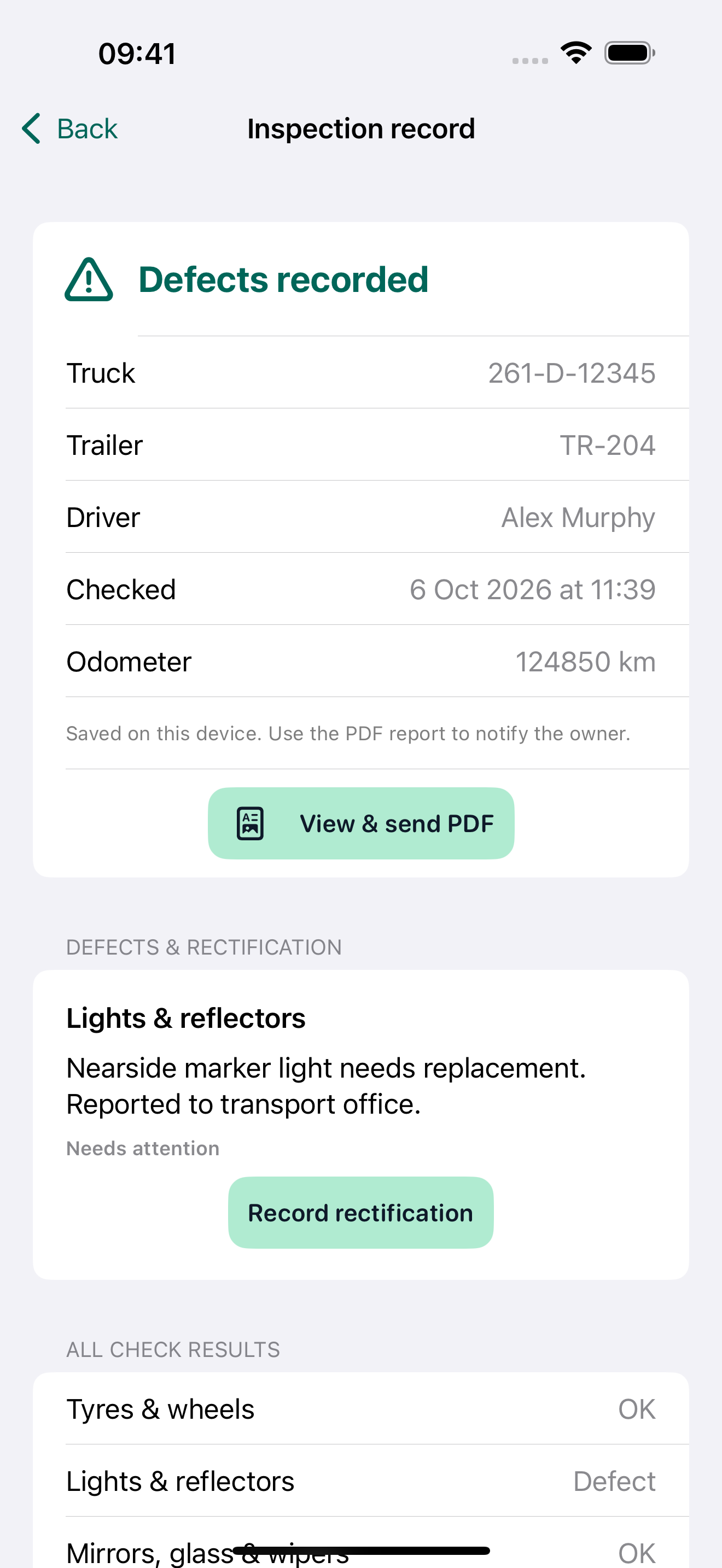
Describe faults, attach photographs and keep repair details linked to the original inspection.
Review your saved checks and prepare a branded PDF for a selected date range.
Watch the app workflow using demonstration records.
Open iPhone preview ↗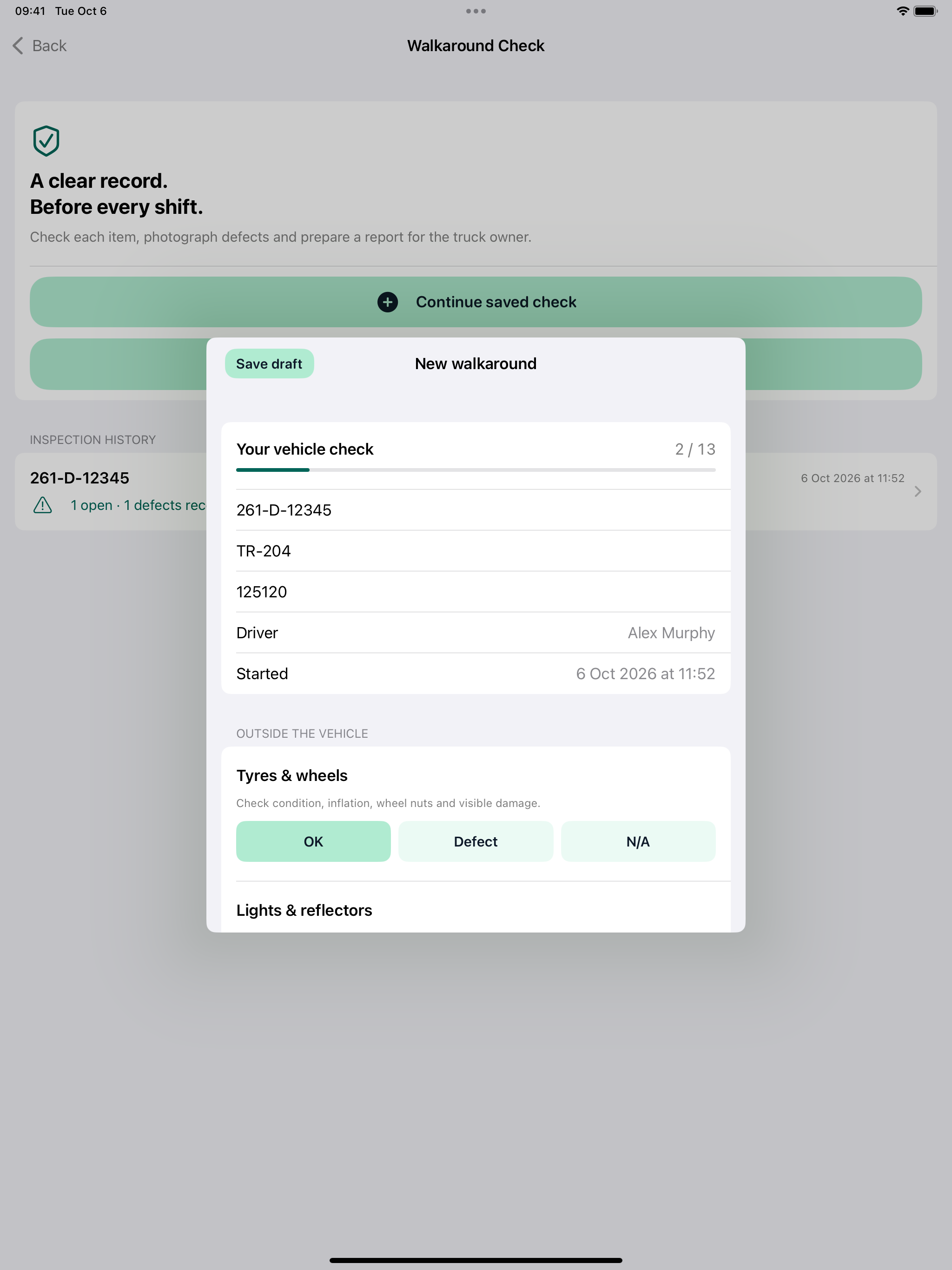
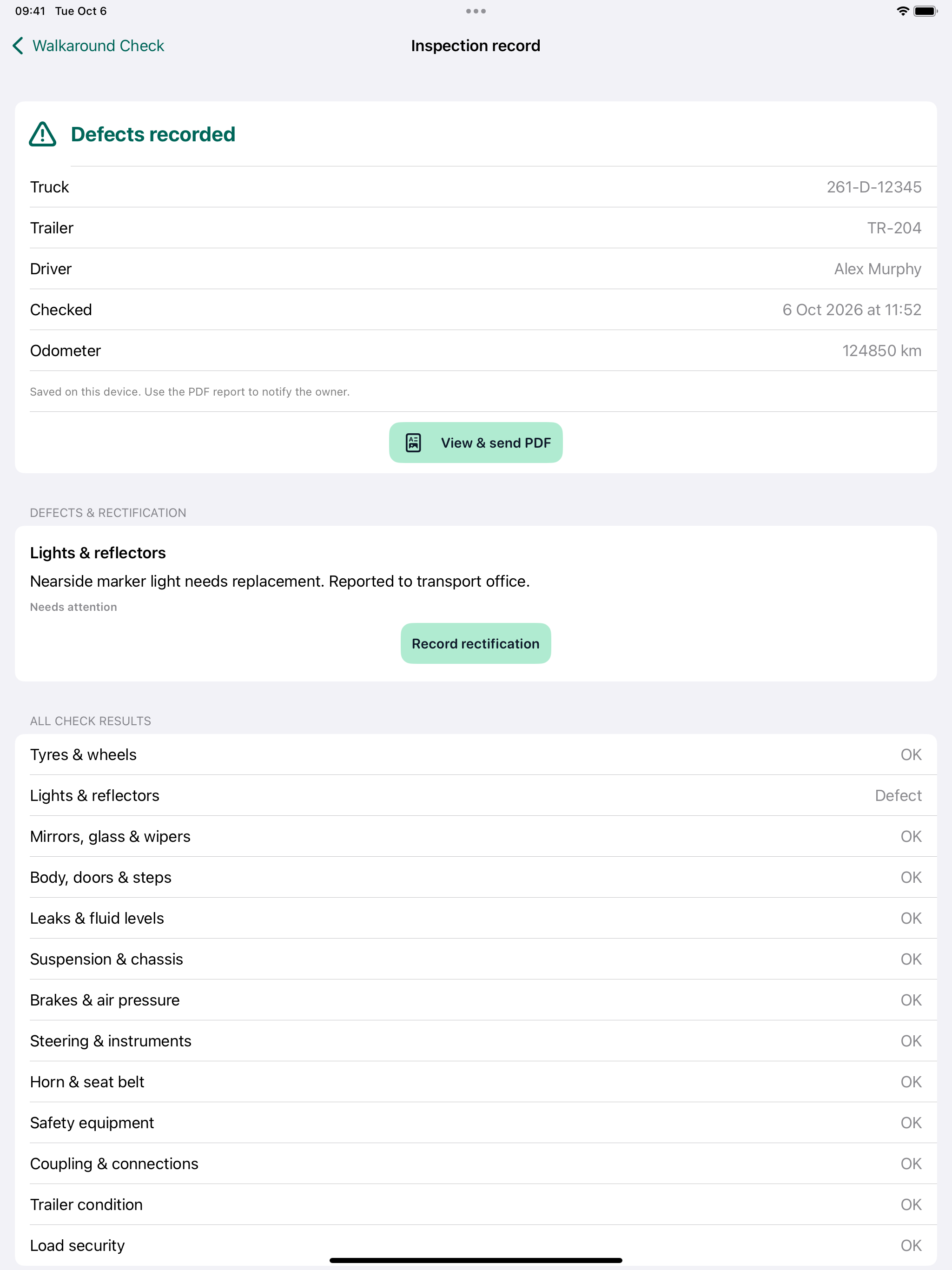
Watch the app workflow using demonstration records.
Open iPad preview ↗02 / WORK
Record work, review estimated earnings and keep load and bonus details together.
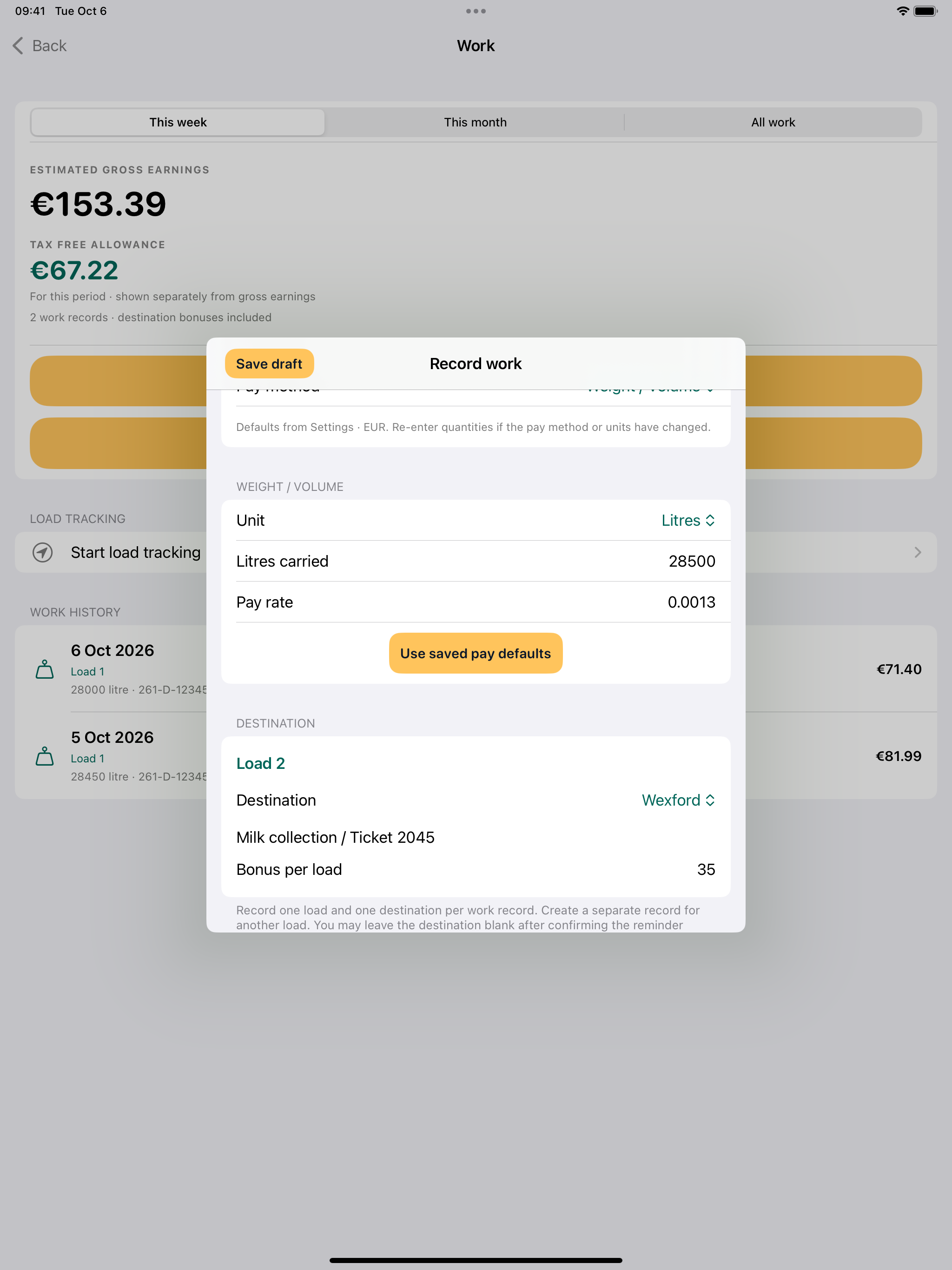
Record hourly, per-load, mileage or weight/volume work, with your chosen units and fixed destination bonuses.
Keep load details, time, quantities and estimated earnings together. Configure your working week and optional daily allowances.
Choose report dates and whether to include earnings. Save, share or print readable multi-page PDFs.
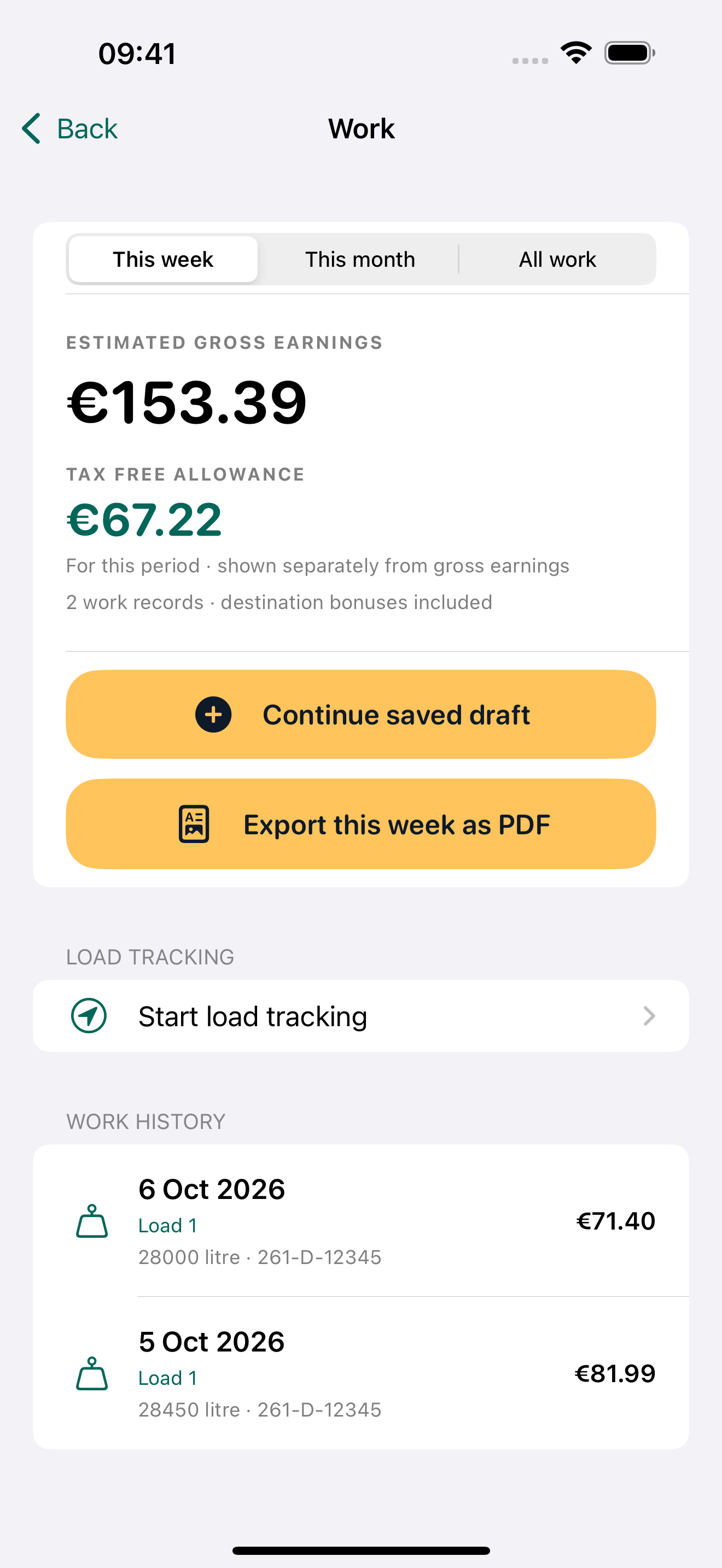
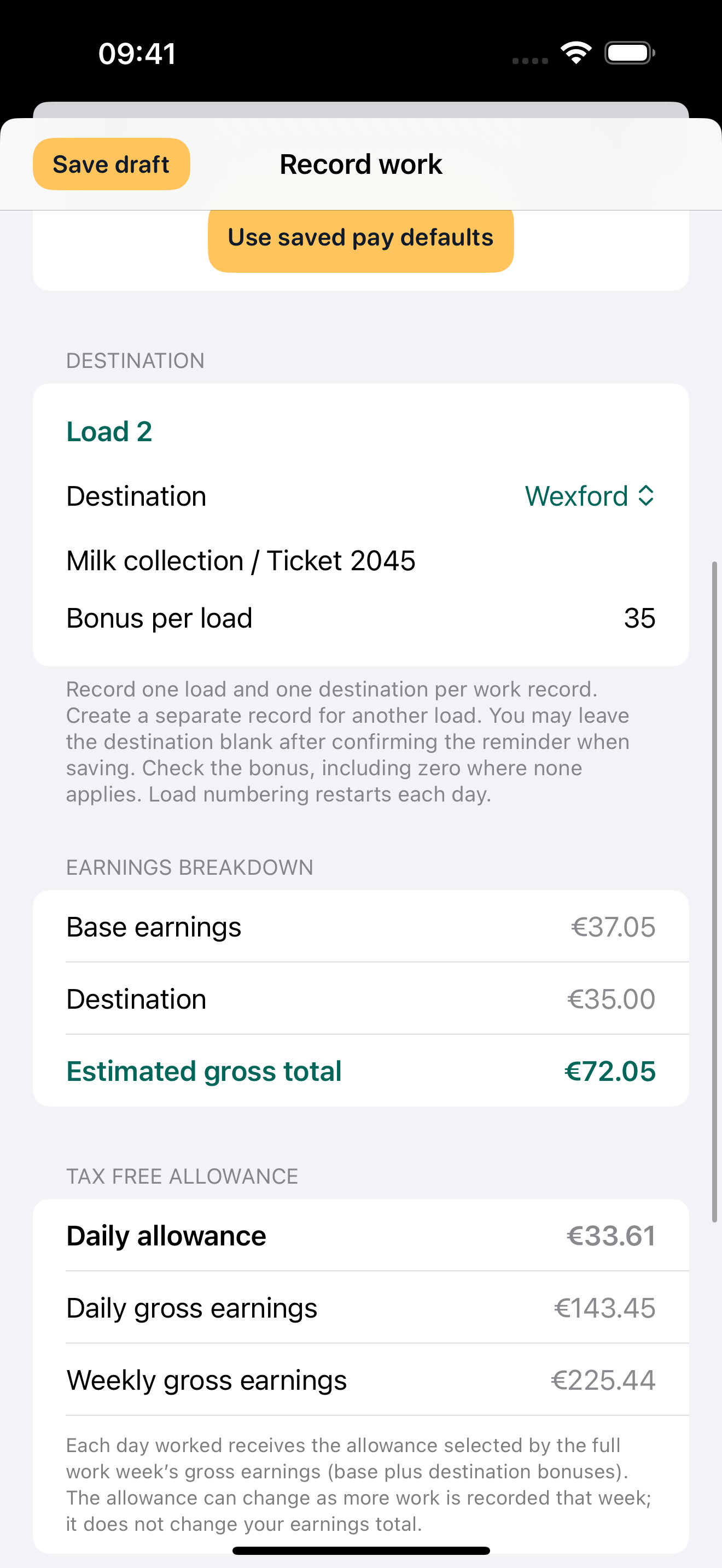
Watch the app workflow using demonstration records.
Open iPhone preview ↗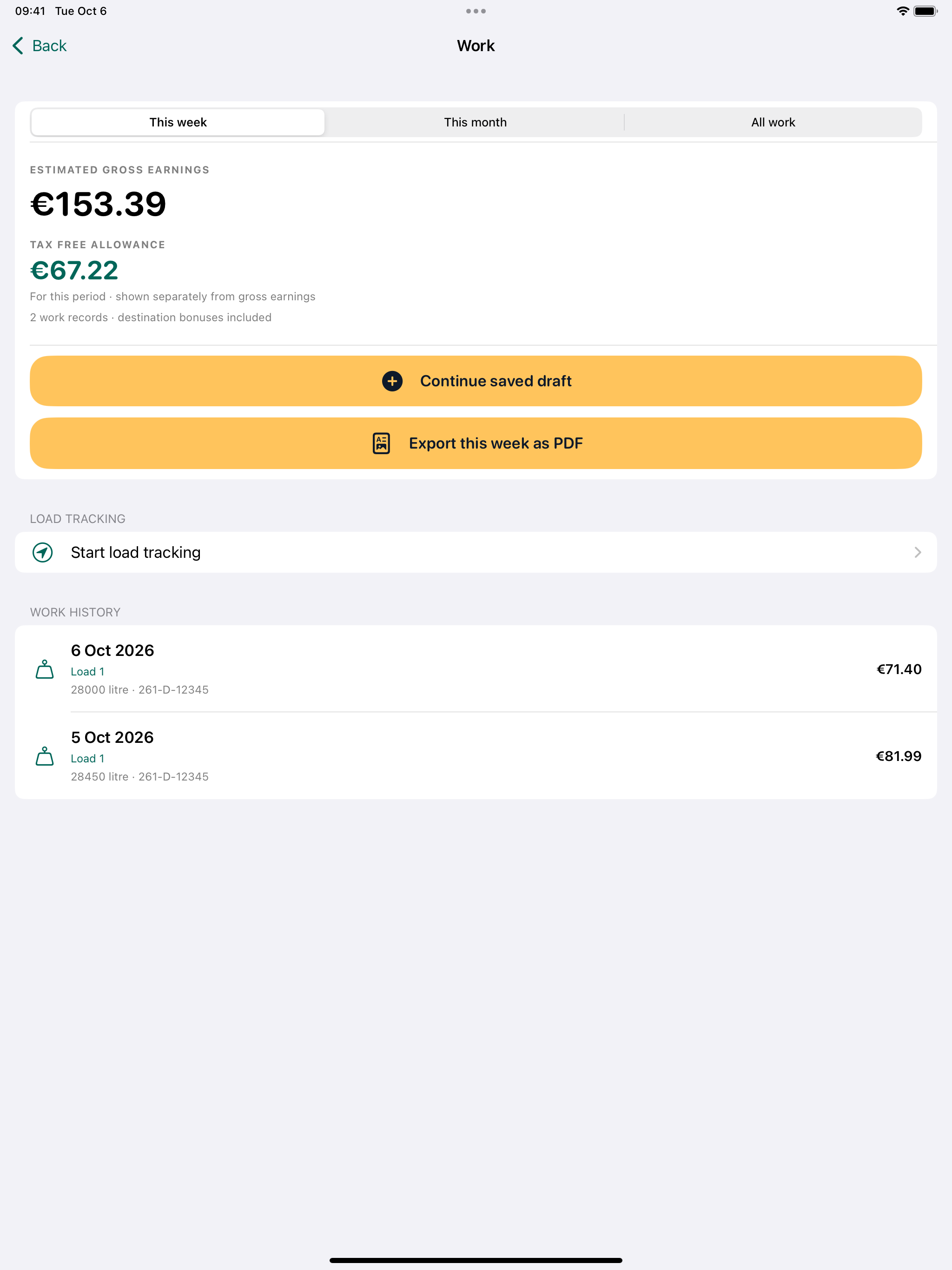
Watch the app workflow using demonstration records.
Open iPad preview ↗03 / TRUCK MAINTENANCE
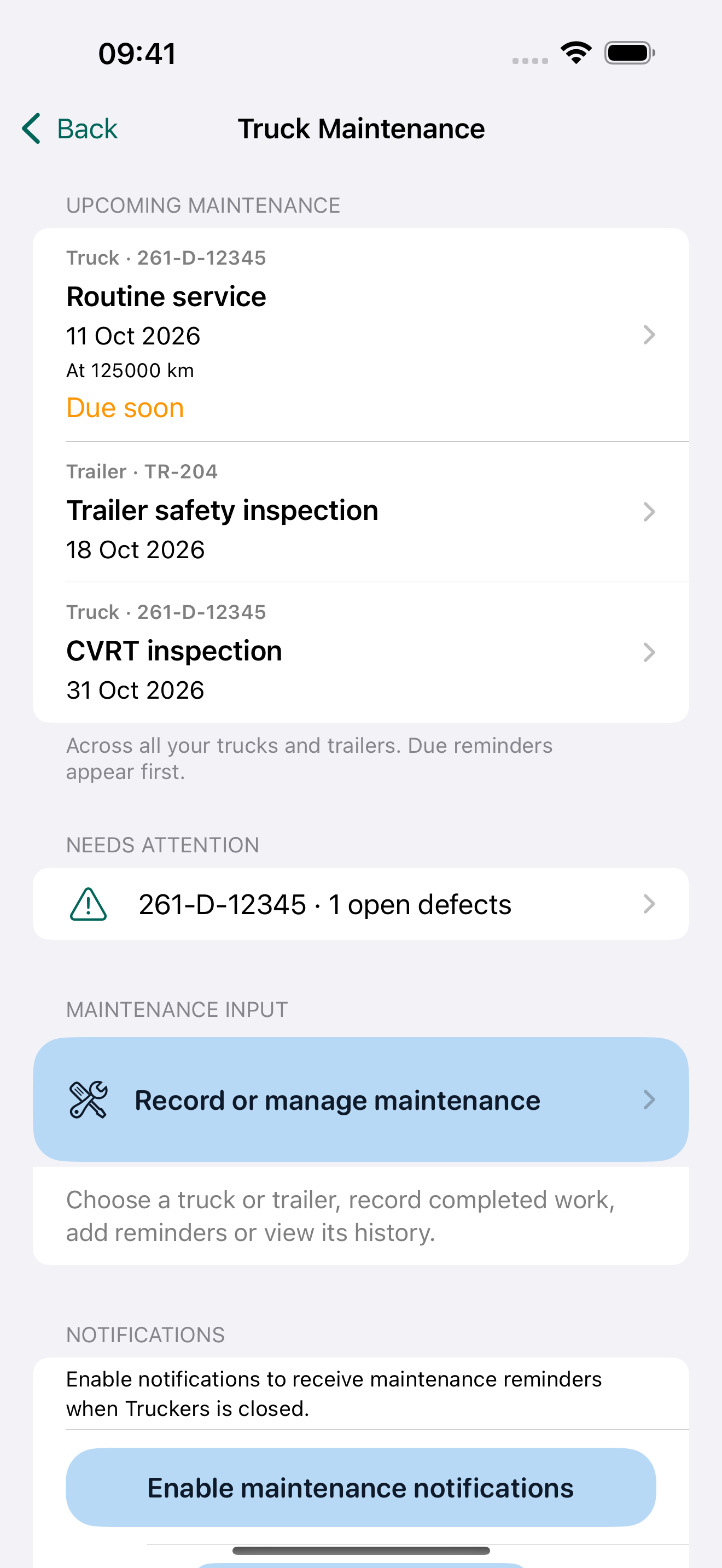
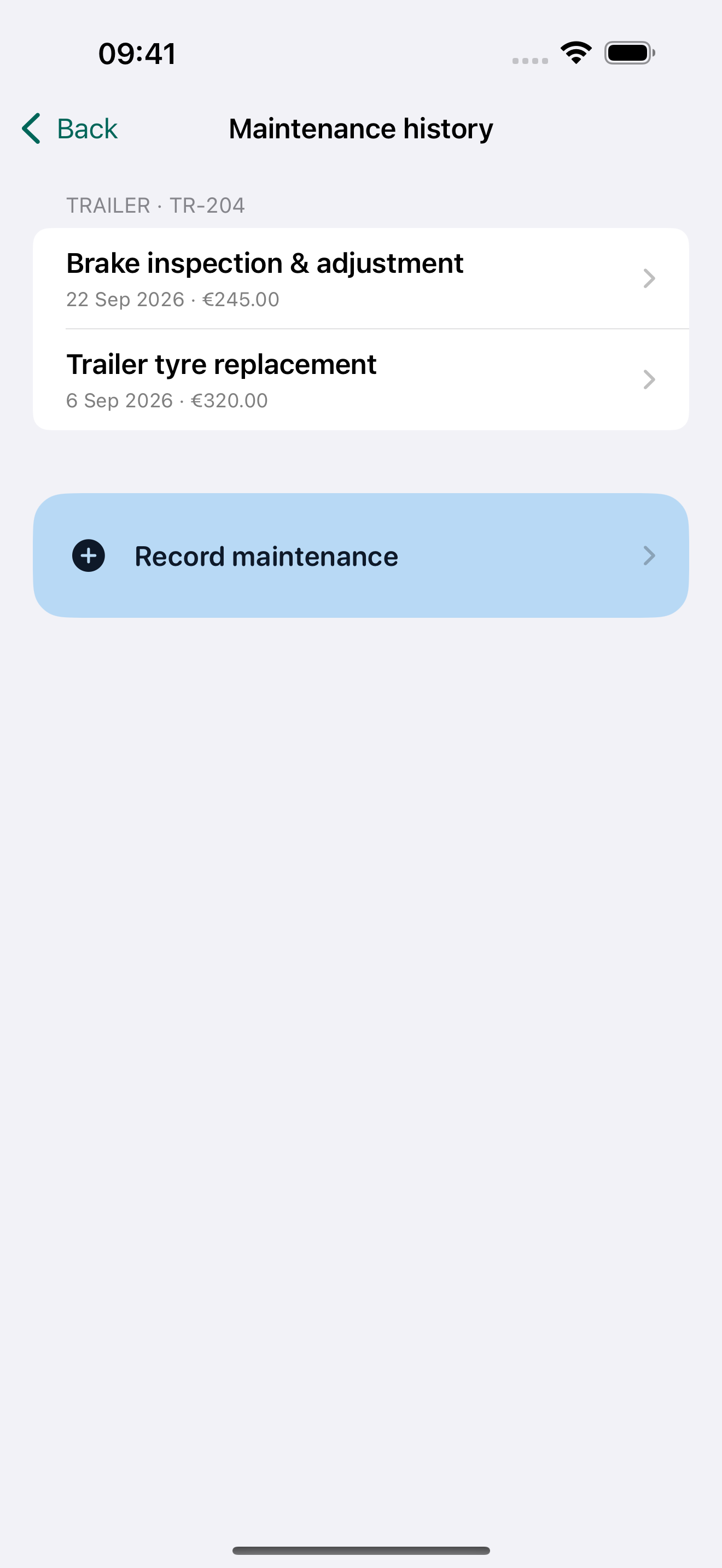
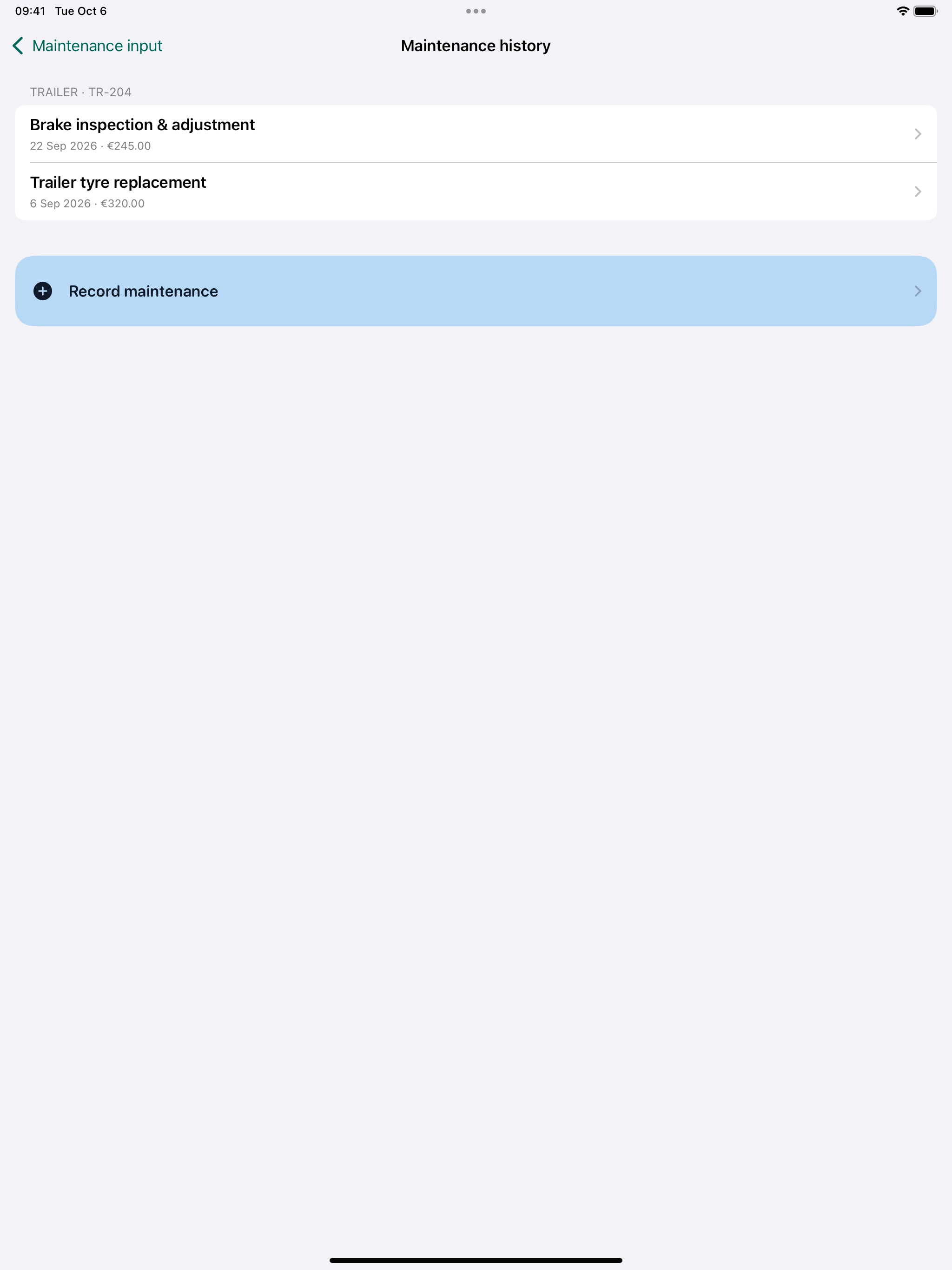
See reminders, record completed maintenance and review separate truck and trailer histories.
Manage separate truck and trailer histories. Record services, repairs, tyres and inspections with garage, dates, costs and notes.
See upcoming maintenance and open defects. Date reminders use local notifications; mileage warnings update with saved readings.
Attach receipt photos or service PDFs, link repairs to walkaround defects and include records and attachments in your full backup.
Watch the app workflow using demonstration records.
Open iPhone preview ↗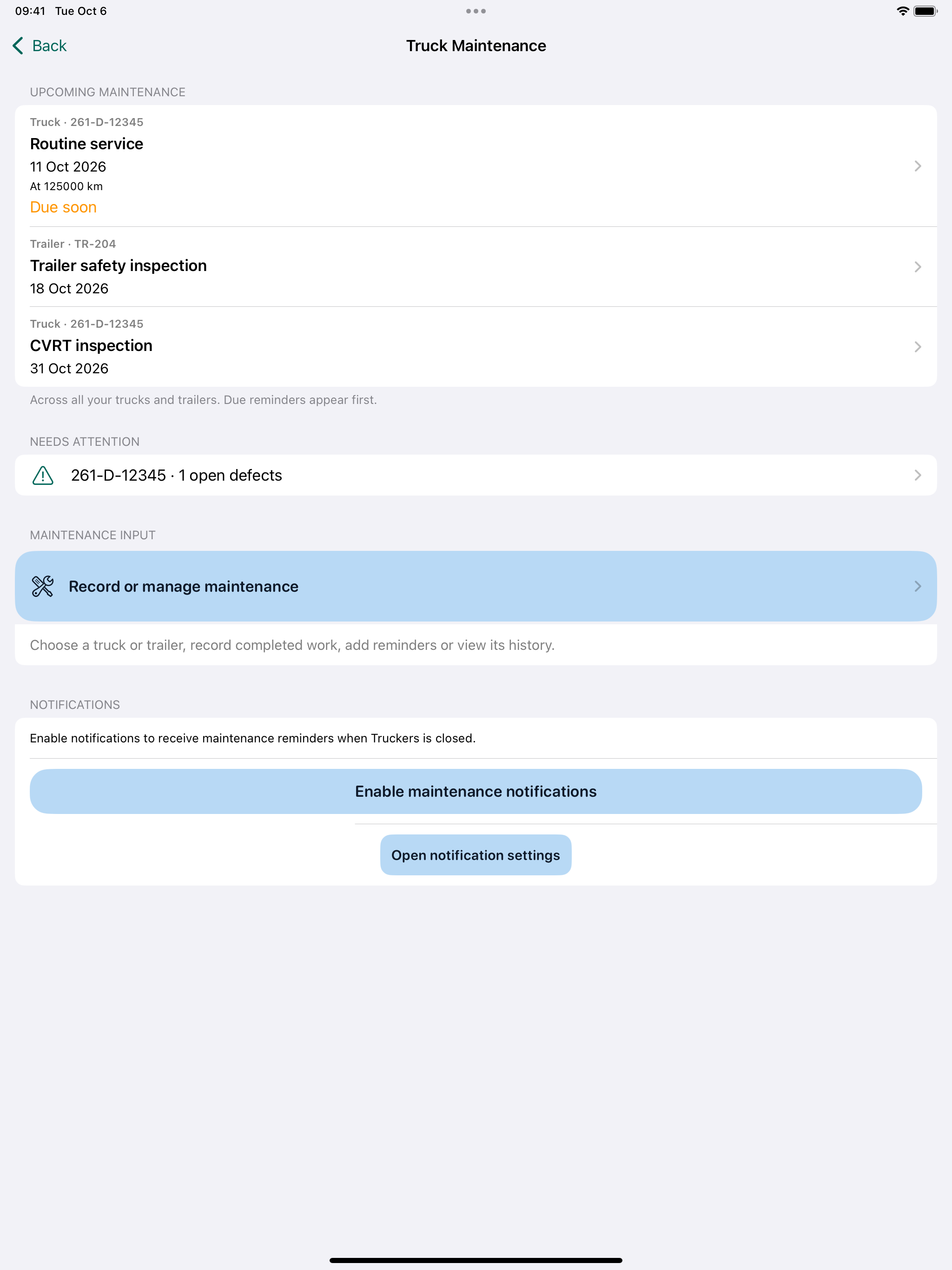
Watch the app workflow using demonstration records.
Open iPad preview ↗04 / ANNUAL LEAVE
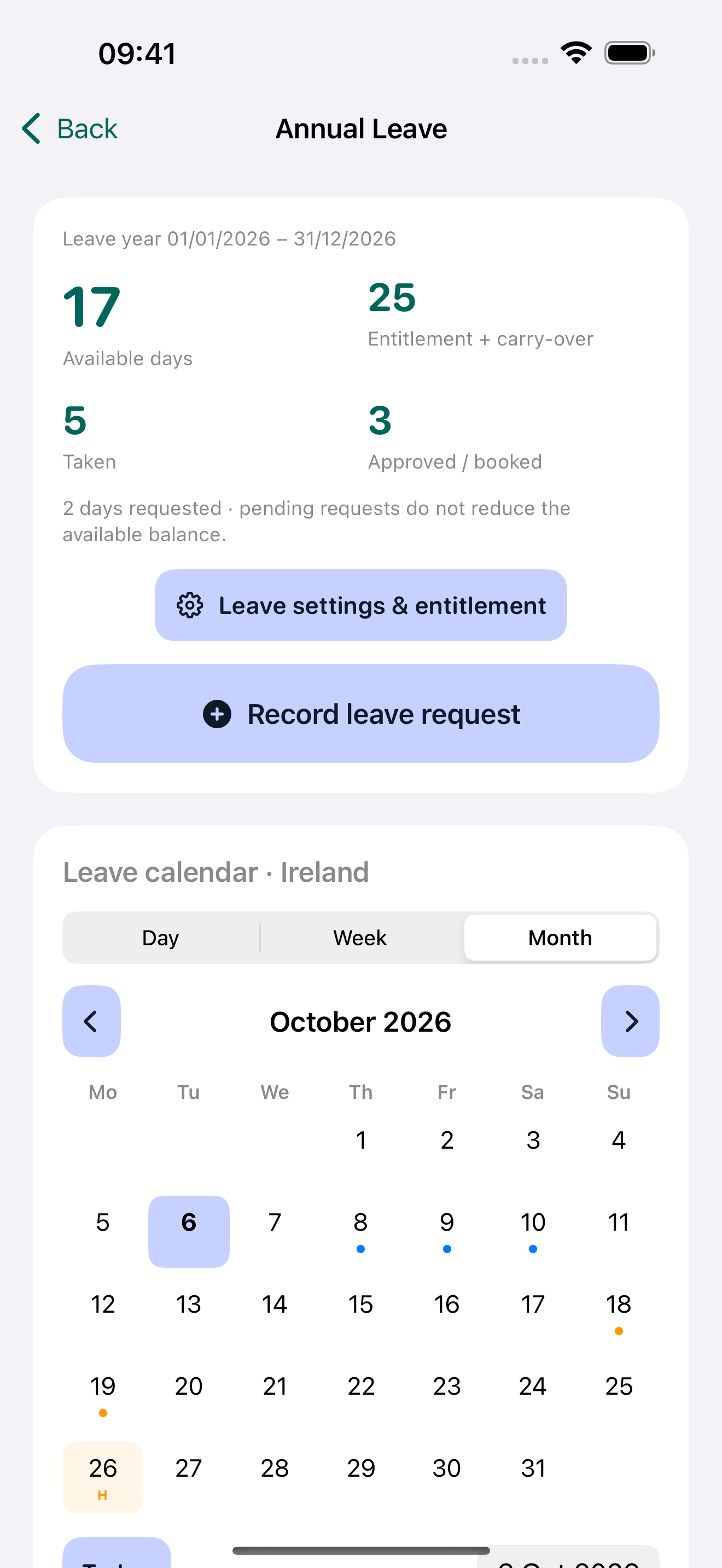
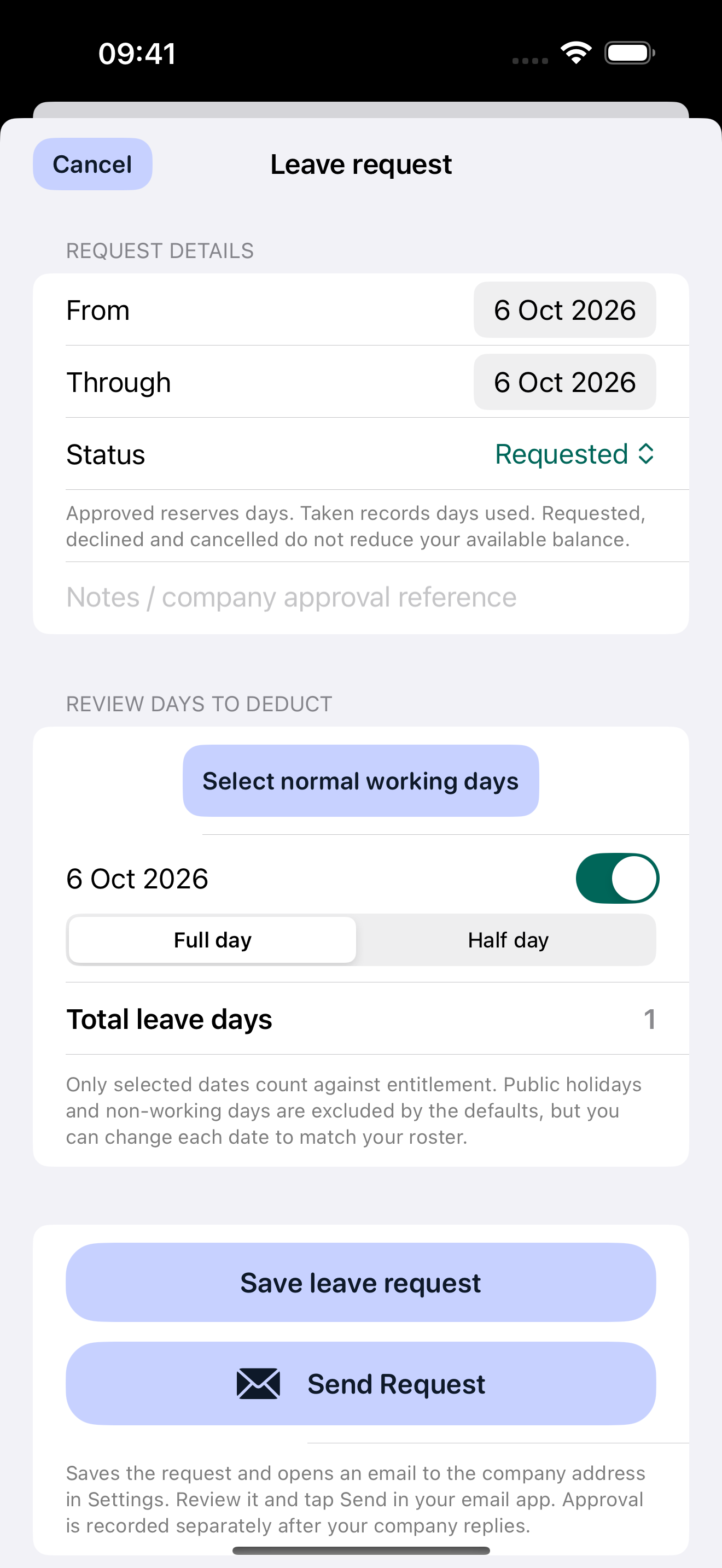
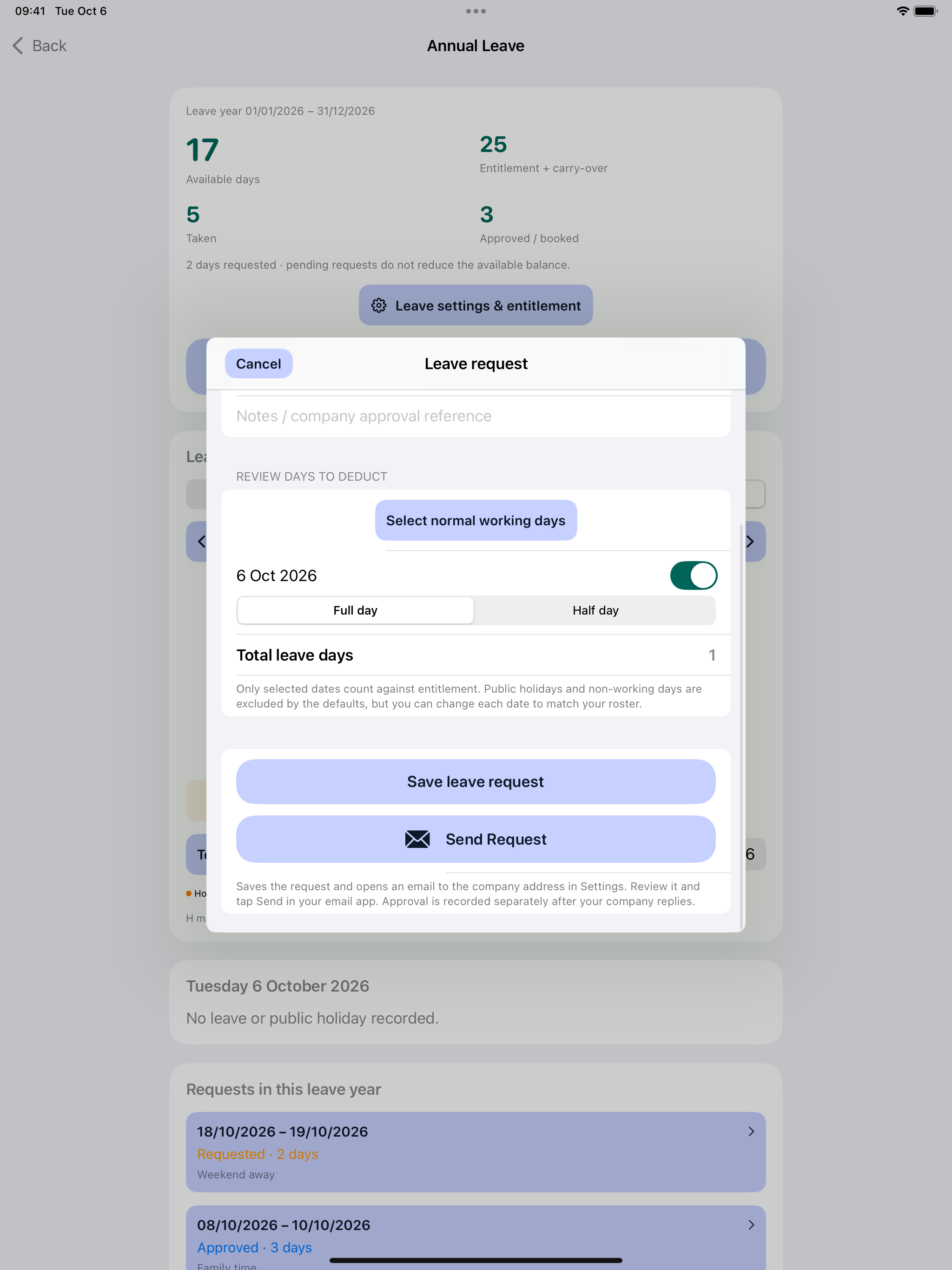
Review your leave balance and prepare a request for your company.
Set normal working days, entitlement years and carry-over. See available days, days taken and approved bookings.
Choose country and regional calendars, add company holidays and confirm your employer’s holiday-pay policy.
Prepare a leave-request email to review and send. Record your company’s response and track time off in the calendar.
Watch the app workflow using demonstration records.
Open iPhone preview ↗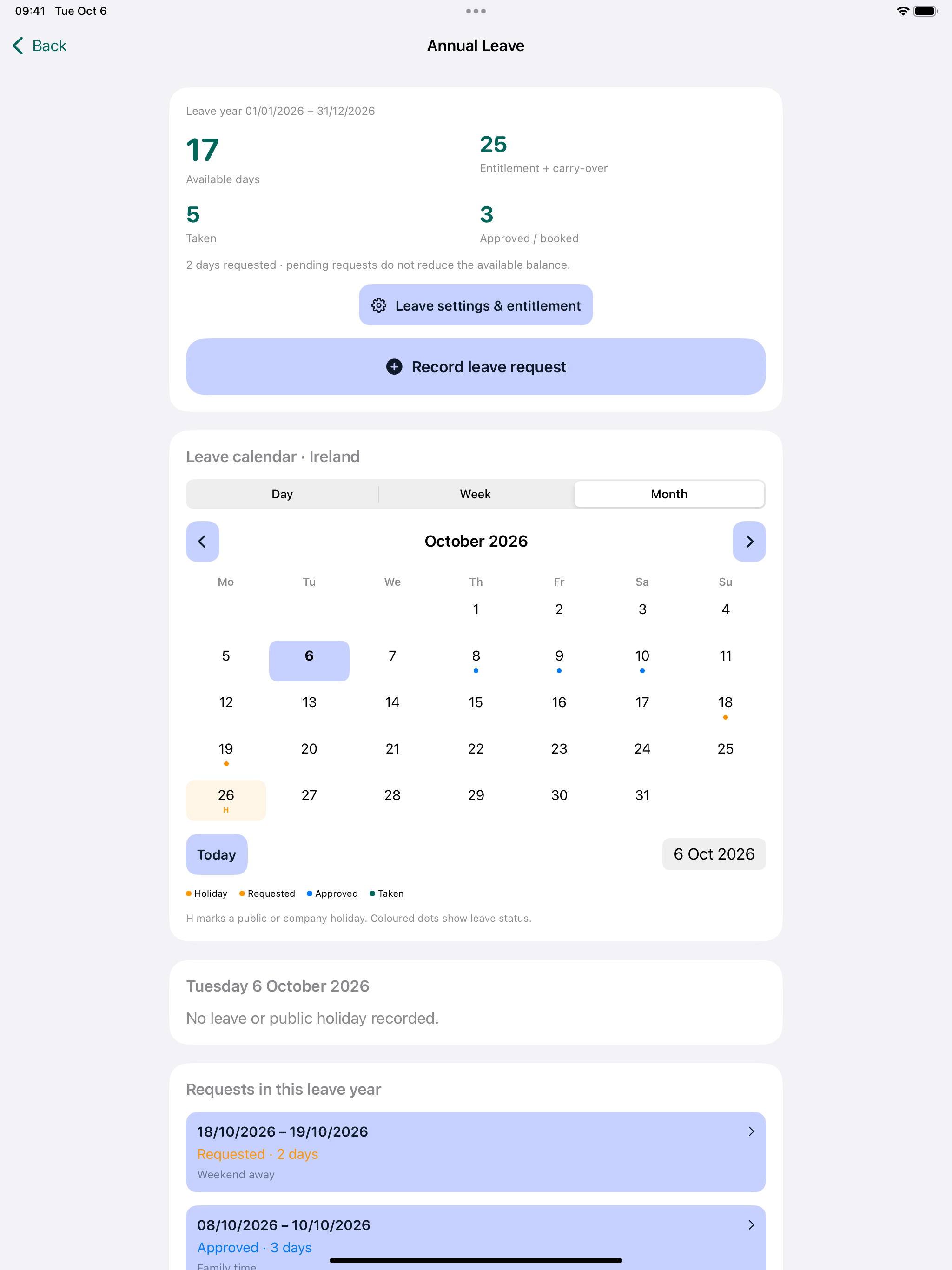
Watch the app workflow using demonstration records.
Open iPad preview ↗YOUR WORK. YOUR VEHICLES. YOUR SETTINGS.
Set up your company, pay rates, trucks and trailers, maintenance reminders and leave preferences. Keep the four parts of your working day organised around you.
Set up your driver name, contact details, company and vehicle registrations. These shared details connect your checks, work records and reports.
Confirm your truck and trailer details, report country and company logo. Keep vehicle checks, defect photographs and branded inspection reports together.
Choose your payment method, currency, units and all applicable rates. Set your working week, optional load tracking, daily allowances and fixed destination bonuses.
Manage trucks and trailers with separate service histories. Record repairs and receipts, and set date or mileage reminders. Allow notifications for date alerts; mileage warnings update after saved readings.
Choose normal working days, entitlement years and carry-over. Select country and regional holiday calendars, add company holidays and confirm holiday-pay arrangements with your employer.
Review all entered settings before accepting setup and opening the main menu. Try again keeps your details for correction. Use Backup / Download to save spreadsheet exports or a full backup, including maintenance records and receipt attachments, before changing devices.
TRUCK DRIVER TIMESHEETS & PAY RECORDS
Yes. Choose your payment method and units in Work settings, then record the quantities and rates for each job. Truckers supports hourly, per-load, mileage and weight or volume work, plus applicable allowances and destination bonuses.
Choose the dates for your work report, then save, share or print the PDF. You can choose whether earnings appear in the report, making it useful for your own records or the office.
Truckers estimates earnings from the work and rates you enter. Check the entries against your employer’s payslip and confirm pay arrangements with payroll.
Yes. Truckers combines work records with walkaround checks, defect photographs, truck maintenance and annual leave. For inspections alone, explore the WalkAround Checks app.
Both Android apps are in closed testing. Sign up using the Contact form if you have an Android phone and can take part in the two-week test.
HERE WHEN YOU NEED US
Choosing an app, setting up your details or preparing a report? We’re here to help.
Contact us